
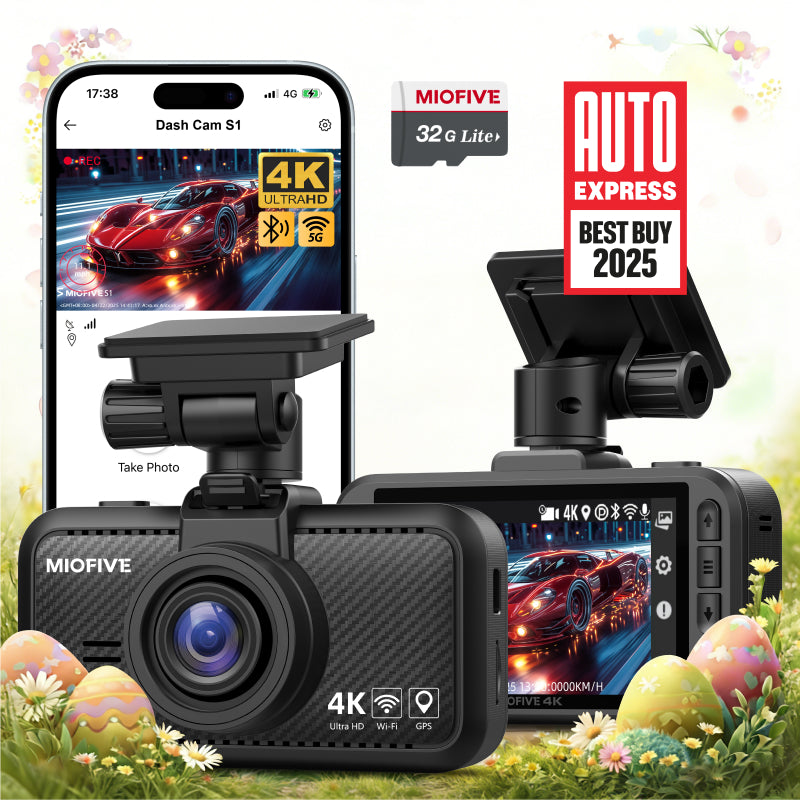
MIOFIVE Dash Cam S1 4K UHD Front Dash Camera(32GB Card Included)(UK)
Overview
The MIOFIVE Dash Cam S1 delivers crisp 4K UHD (3840×2160) @30fps front-facing recording to capture every detail on the road. It features a built-in 3-inch IPS display, dual-band 2.4G & 5G Wi-Fi, and Bluetooth 4.2 for easy wireless control via the free Miofive app. A 32GB U3 microSD card is included so you can start recording straight out of the box. The dash cam also supports 24-hour parking mode (requires separately sold hardwire kit) and uses a super capacitor instead of a battery for improved heat resistance and longevity.
Key Features
- 4K UHD (3840×2160) @30fps front recording for sharp, detailed footage
- 3-inch IPS display for easy on-the-spot playback and settings
- Dual-band Wi-Fi (2.4G & 5G) and Bluetooth 4.2 for fast, wireless app control
- 32GB U3 microSD card included – no separate purchase needed
- Super capacitor design – more durable and heat-resistant than traditional batteries
- 24-hour parking mode support (requires optional hardwire kit)
- Speed camera alerts and built-in GPS tracking for location and speed data
Who It Is For
- Drivers who want true 4K resolution in a front-only dash cam
- Anyone looking for a ready-to-use kit with a 32GB card included
- Users who prefer Wi-Fi and Bluetooth connectivity for easy app-based control and video downloads
- Drivers who need reliable heat performance – the super capacitor handles high temperatures better than batteries
- Those who want parking surveillance (with a separate hardwire kit) and GPS tracking
FAQs
Does this dash cam have a battery?
No, the MIOFIVE S1 uses a super capacitor instead of a battery. It must be plugged into the car charger to operate.
How do I activate 24-hour parking monitoring?
You need a USB-C hardwire kit (sold separately, ASIN: B0CRHM5V1C) to enable parking mode. The kit is not included with the dash cam.
Do I need to buy an SD card?
No – a free 32GB U3 microSD card is included in the box. The dash cam supports cards from 32GB up to 512GB if you need more storage.
Why is my video quality poor?
First, clean the lens and make sure nothing is blocking it. For best clarity, download the video file to your device and play it locally.
Why isn't the dash cam recording?
Check that the SD card is properly inserted and compatible. Also try deleting locked files – video recording can stop when the card is full.