
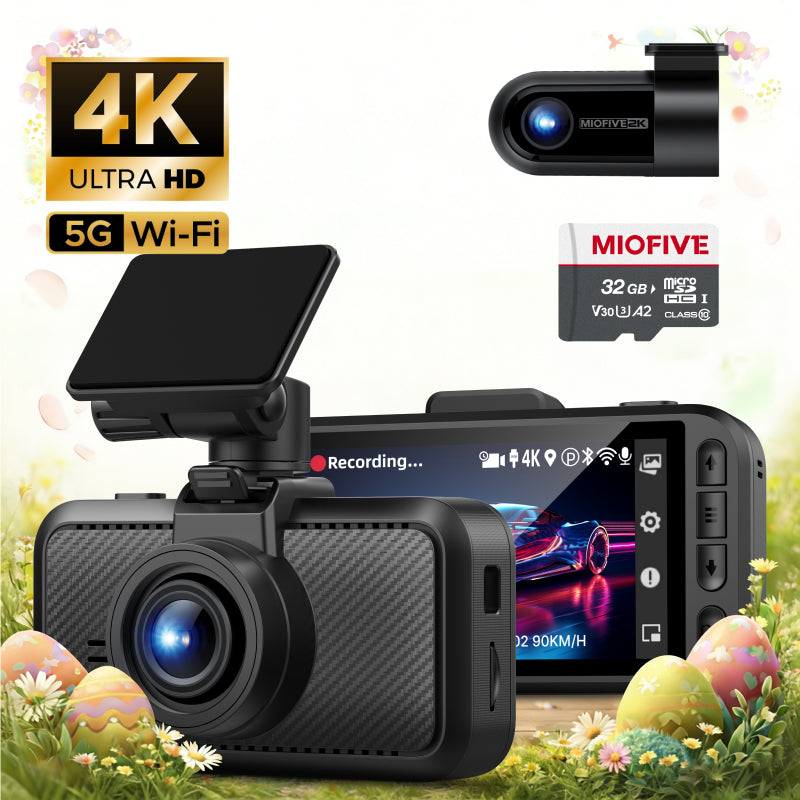
MIOFIVE Dash Cam S1 Pro 4K+2K Dual Dash Camera(CA)
Overview
Capture every moment on the road with the MIOFIVE Dash Cam S1 Pro (CA), a dual-channel dash cam that records in 4K+2K resolution. The front camera delivers crystal-clear 4K Ultra HD footage (3840×2160), while the rear camera records in 2K Quad HD (2560×1440), ensuring you never miss a detail. Built with a super capacitor instead of a battery for enhanced durability in extreme temperatures (-20 to 70℃), this dash cam is designed for reliable year-round performance. It features built-in GPS, 5GHz Wi-Fi, and smart app control for easy footage management and live view. The 3" IPS screen provides clear playback, and with an included 32GB memory card, you can start recording right out of the box. Plus, with 24-hour parking monitor (requires hardwire kit, sold separately) and seamless loop recording, your vehicle is protected even when parked.
Key Features
- 4K+2K Dual Recording: Front camera records in 4K Ultra HD (3840×2160) and rear camera in 2K Quad HD (2560×1440) for sharp, clear footage from both angles.
- Super Capacitor: Built to withstand extreme temperatures from -20°C to 70°C, offering greater reliability and longevity compared to traditional lithium batteries.
- Built-in GPS & 5GHz Wi-Fi: Track your driving route and speed with GPS, and quickly transfer files or stream live video via the fast 5GHz Wi-Fi connection.
- Smart App Control: Manage your dash cam from your phone using the Miofive app. Download videos, change settings, and view real-time footage with ease.
- 24-Hour Parking Monitor: Keep an eye on your car while parked (requires hardwire kit, sold separately). The dash cam automatically detects impacts and starts recording.
- 32GB Memory Card Included: Start recording immediately with the included 32GB microSD card (supports up to 512GB).
- Seamless Loop Recording: Never miss a moment – the dash cam automatically overwrites the oldest footage when the card is full, ensuring continuous recording.
- OTA Online Updates: Keep your dash cam firmware up to date with over-the-air updates, ensuring access to the latest features and improvements.
Who It Is For
- Daily Commuters: Anyone who wants reliable evidence in case of an accident or dispute during their routine drives.
- Fleet Managers: Professional drivers or fleet operators who need to monitor driving behavior and maintain records for safety and compliance.
- Parking Security Seekers: Drivers who frequently park in public lots or on the street and want 24/7 monitoring against hit-and-runs or vandalism.
- Tech-Savvy Drivers: Users who appreciate the convenience of app control, GPS tracking, and OTA updates for a connected driving experience.
- Canadian Drivers: Specifically designed for the Canadian market, with wide temperature tolerance and included accessories tailored for local conditions.
FAQs
How to enable the dash cam's 24-hour parking monitor function?
To activate parking monitoring, the specific hardware kit (ASIN: B0CRHL4N8X) is required. It's not part of the basic package but is crucial for safeguarding your car battery during parking mode.
How does the dash cam start working?
When using it for the first time, simply power on the dash cam and follow the instructions in the manual to connect the app and activate the device. After the initial setup, the dash cam will automatically start recording whenever it is powered on.
Do I need to buy an SD card to use this dash cam? Which memory card is recommended?
This dash cam supports memory cards from 32GB to 512GB. The SD card is NOT INCLUDED with this model. If you need to purchase a new one, we recommend a U3 Class 10 microSD card from Miofive.
How does the dash cam format the memory card?
Open the Miofive app, go to My Device → Quick Settings → More → Format Memory Card.
Why is the video quality of my dash cam unclear?
To ensure smoother video playback, the videos viewed on the app or the dash cam screen are compressed and may not represent the original video quality. Please download the video to your phone's gallery or computer for better clarity.