
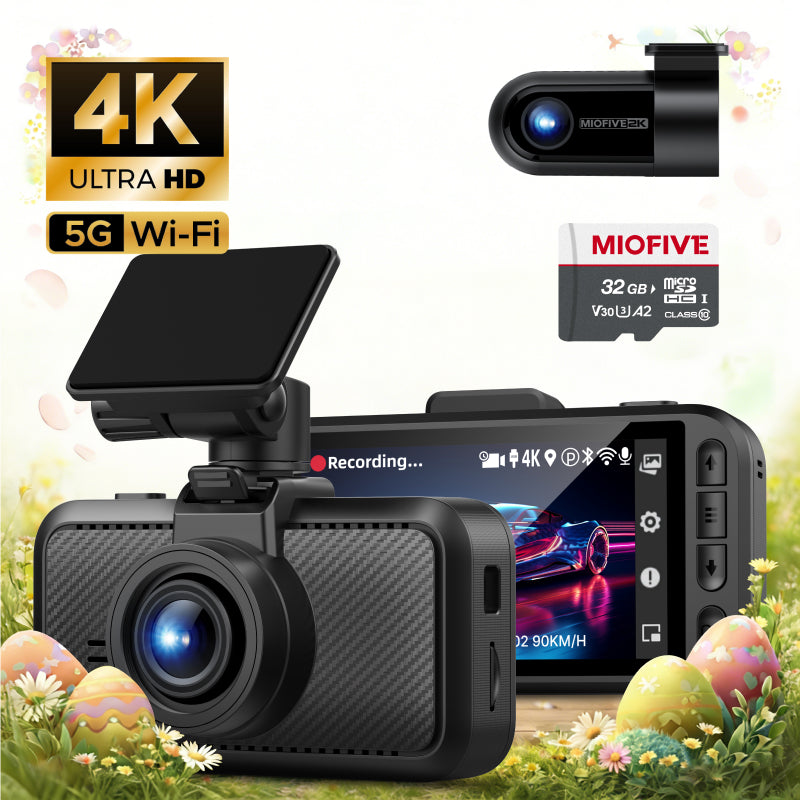
MIOFIVE Dash Cam S1 Pro 4K+2K Dual Dash Camera(UK)
Overview
The MIOFIVE Dash Cam S1 Pro is a dual-channel dash camera that records in 4K+2K resolution, capturing crisp details from both front and rear cameras. Equipped with 5GHz Wi-Fi and built-in GPS, it offers seamless smartphone app control and real-time speed camera alerts. Its super capacitor ensures reliable operation in extreme temperatures, while the 24-hour parking monitor (with optional hardwire kit) provides continuous surveillance. This UK-specific model includes a 3-inch IPS display, Bluetooth 4.2, and supports microSD cards from 32GB to 512GB (a 32GB card is included).
Key Features
- 4K (3840×2160 @30fps) front + 2K (2560×1440 @30fps) rear dual recording
- 5GHz and 2.4GHz dual-band Wi-Fi for fast app transfer and live view
- Built-in GPS logs route, speed, and location data
- 24-hour parking monitor (requires optional USB-C hardwire kit)
- Speed camera alerts via GPS and app database
- Super capacitor power source for heat/cold tolerance and longer life
Who It Is For
- Drivers who want crystal-clear 4K front and 2K rear footage for maximum detail
- Those needing 24/7 parking surveillance with optional hardwire kit
- Drivers who value built-in GPS for route tracking and speed camera warnings
- Users who prefer super capacitor reliability over traditional batteries in extreme climates
- Anyone seeking a 3-inch IPS screen for easy live preview and menu navigation
FAQs
Does the dash cam have a battery?
No. The dash cam runs on a super capacitor and must be powered by the car charger. It does not contain a traditional battery.
How do I activate 24-hour parking monitoring?
You need to purchase the MIOFIVE USB-C hardwire kit (sold separately, ASIN: B0CRHM5V1C). Once installed, the dash cam can monitor your vehicle continuously while parked.
Do I need to buy an SD card separately?
A free 32GB U3 microSD card is included. The dash cam supports cards from 32GB to 512GB (U3 Class 10 recommended).
Why can't I record videos?
First, ensure the SD card is compatible and properly inserted. Regularly delete locked videos to prevent the card from filling up. If problems persist, try formatting the card in the dash cam.
Video quality looks poor on my phone, what should I do?
Make sure the lens is clean and unobstructed. For best clarity, download the video to your device and view it with a media player that supports 4K resolution.