
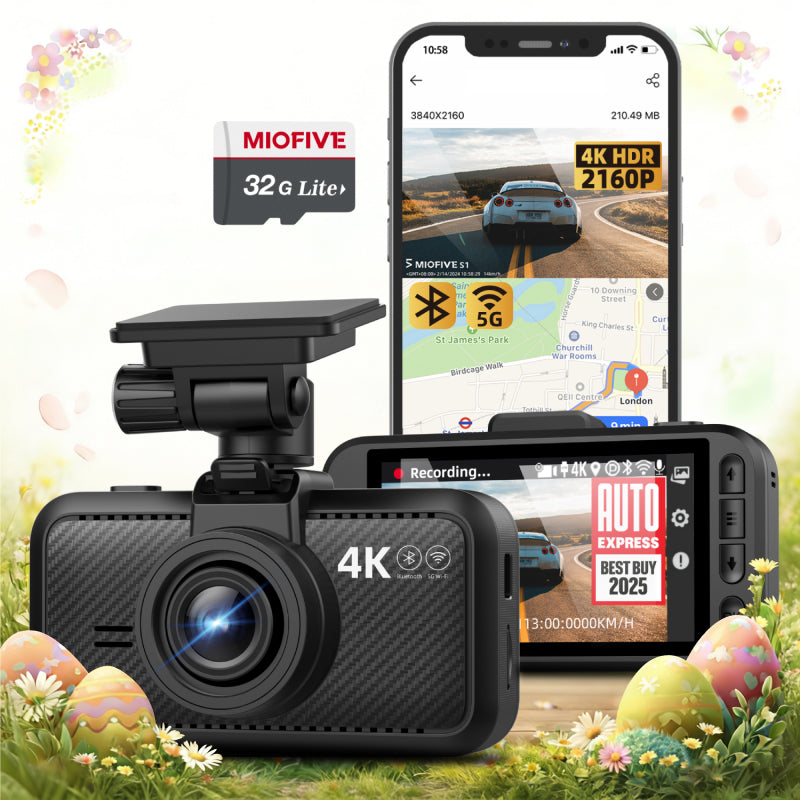
MIOFIVE Dash cam S1 4K UHD Single Dash Camera(32GB SD Card Included)(AU)
Overview
The MIOFIVE Dash Cam S1 captures 4K Ultra HD footage at 3840×2160 resolution, ensuring crisp, detailed recordings day or night. This single dash camera comes ready to use with a 32GB SD card included, a 3-inch IPS screen for easy playback, and built-in GPS, Wi-Fi, and Bluetooth for seamless connectivity. With features like AI technology, G-Sensor impact detection, loop recording, and a reliable super capacitor that withstands -20 to 70°C, the S1 delivers dependable protection on every drive. OTA online updates keep your firmware current without hassle.
Key Features
- 4K Ultra HD recording at 3840×2160 for sharp, evidential-quality video
- 32GB SD card included – start recording right out of the box
- 3" IPS screen for clear live view and instant playback
- Built-in GPS, Wi-Fi, and Bluetooth for app control and location tagging
- AI technology and ADAS for intelligent driving alerts
- G-Sensor automatically locks footage upon impact
- Loop recording ensures continuous coverage without manual intervention
- Super capacitor design for heat tolerance and long-term reliability (-20 to 70°C)
Who It Is For
- Drivers who want 4K video clarity in a single-channel dash cam
- New dash cam users who appreciate an included 32GB SD card for immediate setup
- Commuters seeking smart alerts from ADAS and AI technology
- Owners needing GPS tracking and Wi-Fi/Bluetooth for easy footage management
- Anyone looking for a durable, heat-resistant dash cam with super capacitor construction
FAQs
How do I enable 24-hour parking monitoring?
Parking monitoring requires the optional hardware kit (ASIN: B0CRHL4N8X), which is not included in the basic package. It helps protect your car battery during parking mode.
How does the dash cam start working?
On first use, power on the dash cam and follow the manual to connect the app and activate the device. After setup, the dash cam automatically starts recording whenever it is powered on.
Do I need to buy a separate SD card?
This model includes a 32GB SD card. If you need extra storage, it supports cards from 32GB to 512GB. We recommend a U3 Class 10 microSD card from Miofive.
How do I format the memory card?
Open the Miofive app, go to My Device → Quick Settings → More → Format Memory Card.
Why is the video quality unclear on the app or screen?
Videos viewed on the app or dash cam screen are compressed for smoother playback. Download the video to your phone’s gallery or computer for full original clarity.